
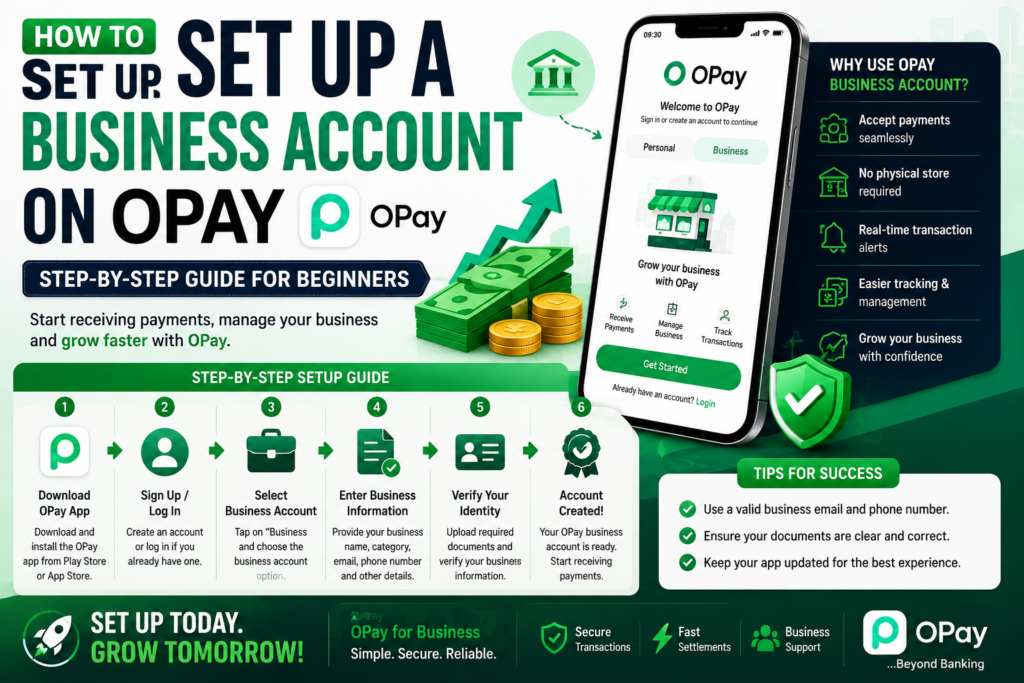
As a business owner in Nigeria, receiving payments quickly and managing transactions smoothly is important. One way to do that is by opening an OPay business account.
If you’re a beginner and don’t know where to start, this simple guide will walk you through the process.
Why Open an OPay Business Account?
An OPay business account helps you:
- Receive customer payments easily
- Separate business and personal finances
- Access business payment solutions
- Manage transactions more efficiently
For small businesses, this can make operations easier and more professional.
Step 1: Download the OPay App
The first step is to install the OPay mobile app and create a regular account if you don’t already have one.
Step 2: Complete Your Basic Profile
Provide your:
- Full name
- Phone number
- Email address
- Valid identification details
Make sure all information is correct.
Step 3: Upgrade to a Business Account
Inside the app, locate the business account or merchant section and begin your upgrade process.
Step 4: Prepare Your Documents
You may be required to provide:
- Business name details
- CAC registration information (if available)
- Valid ID
- Business address
- Other verification details
Having these ready can speed up approval.
Step 5: Submit and Wait for Verification
After filling in your details and uploading documents, submit your application.
Verification may take some time depending on the information provided.
Common Mistakes to Avoid
- Uploading unclear documents
- Using incorrect business details
- Entering inconsistent information
- Skipping required verification steps
These mistakes can delay approval.
Final Thoughts
Setting up an OPay business account is a smart step for business owners who want easier payment solutions and better transaction management. Once properly set up, it can help your business appear more professional and organized.
If you need assistance obtaining any of the required documents, Brand Growth Expert Limited is one of Nigeria’s most trusted business registration and compliance service providers. We help entrepreneurs secure CAC registration, tax documents, licenses, permits, and other business approvals quickly and professionally.
Our experienced team has helped countless business owners across Nigeria start and grow their businesses with confidence.
Contact Us Today
WhatsApp/Call: 08111858651
Email: Brandgrowthboom@gmail.com
Let Brand Growth Expert Limited handle the paperwork while you focus on building a successful business. 🚀