
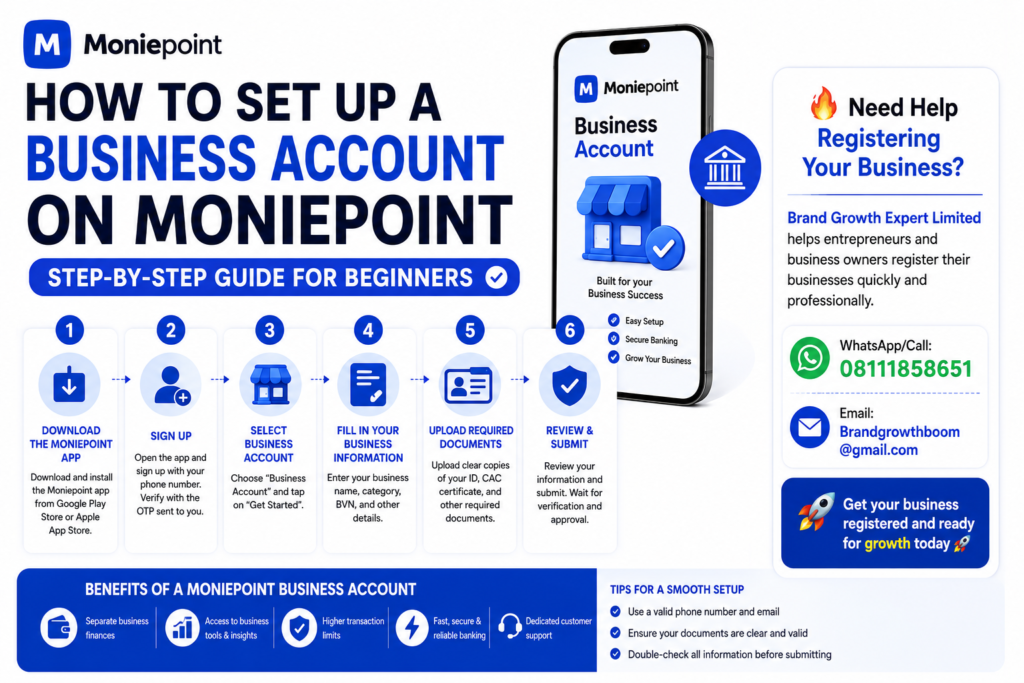
If you run a business in Nigeria, having a dedicated business account makes it easier to receive payments, track transactions, and look more professional. A Moniepoint business account is a popular option for vendors, online sellers, and small business owners.
Here’s a simple beginner-friendly guide to get started.
Step-by-step setup
- Step 1: Download the Moniepoint appInstall the official Moniepoint app and create an account with your phone number and email address.
- Step 2: Complete your profileEnter your full name, valid ID details, and other requested information. Make sure everything matches your official documents.
- Step 3: Apply for a business accountInside the app, look for the business or merchant account option and start the application process.
- Step 4: Upload your documentsYou may be asked for a valid ID, business registration details (if available), and your business address information.
- Step 5: Submit for verificationReview your details carefully, submit the application, and wait for verification. Approval time can vary depending on the completeness of your information.
Common mistakes to avoid
- Uploading blurry or cropped documents.
- Using a name that doesn’t match your ID.
- Entering the wrong phone number or email address.
- Skipping required verification steps.
Why many small businesses use a business account
A business account helps you separate personal and business money, receive customer payments more professionally, and keep better records as your business grows.
Final thought: Setting up a Moniepoint business account is straightforward when your information is accurate and your documents are ready. Take a few extra minutes to review everything before you submit — it can save you days of verification delays.
If you need assistance obtaining any of the required documents, Brand Growth Expert Limited is one of Nigeria’s most trusted business registration and compliance service providers. We help entrepreneurs secure CAC registration, tax documents, licenses, permits, and other business approvals quickly and professionally.
Our experienced team has helped countless business owners across Nigeria start and grow their businesses with confidence.
Contact Us Today
WhatsApp/Call: 08111858651
Email: Brandgrowthboom@gmail.com
Let Brand Growth Expert Limited handle the paperwork while you focus on building a successful business. 🚀